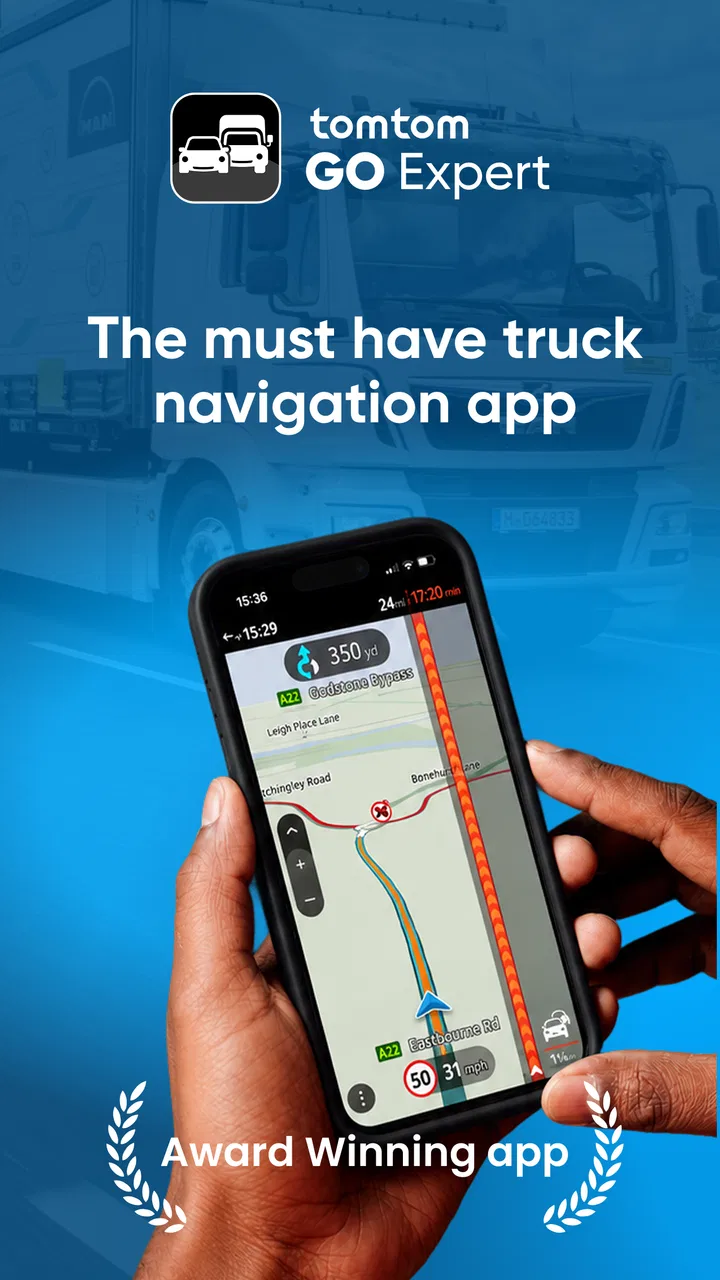
TomTom GO Expert: Truck GPS
- 3.6
- Rating
- 10.00M
- Installs
- Free
- Price

 Analysis by App-foxy
Driving a truck is not simply a matter of finding the shortest line between two points. Vehicle height, weight, length, restricted roads, delivery windows, traffic, and the order of several stops can all turn an ordinary route into a costly mistake. That is the problem TomTom GO Expert: Truck GPS tries to solve. I found it most interesting as a specialist navigation app for professional drivers rather than as a general-purpose map for occasional car trips.
Developed by TomTom International BV, this free Maps & Navigation app is aimed at people who need routes shaped around a truck’s physical limits. Its store summary focuses on truck-suitable routes, traffic information, multi-drop planning, and truck-related points of interest. Those details matter because a route that looks perfect on a normal map may be unusable once a vehicle’s dimensions are taken seriously.
The app has been available since March 24, 2015, and its current release is 3.6.292-beta. It is suitable for Everyone and requires Android 7.0 or later. With more than 10 million installs and an average score of 3.6 from roughly 270 thousand ratings, it clearly has a substantial user base, although the rating also suggests that the experience is not equally smooth for every driver or phone.
You May Also Like

 Blood Strike: 2.5 Anniversary
Blood Strike’s Loadouts Turn Every Drop Into a Tactical Gamble
A close look at Blood Strike’s custom loadouts: how fast access to signature weapons reshapes its battle royale rhythm, rewards preparation, and narrows the gap between fights.

 Pandora - Music & Podcasts
Pandora’s Music Is Easy to Start, but Harder to Recover
Pandora’s strength is its low-effort path from a seed to a station. Its weak spot is how much confidence it asks you to place in connection, setup, and quiet recovery.

 8 Ball Pool
 Is Built on Rivalries, Rematches, and Routine
A close look at the rivalries, rematches, shared routines, and unanswered safety questions that turn a quick pool match into a persistent mobile community.

 Samsung Music
’s Quiet Strength Is Playing What You Already Own
Its reach comes less from spectacle than from dependable access to a personal library. That simplicity is both the app’s strongest retention engine and its ceiling.

 AccuWeather: Weather Radar
AccuWeather Review: A Quick, Clear Forecast for Everyday Decisions
For everyday plans, the best forecast is the one you can understand quickly. AccuWeather makes rain timing, radar, and local conditions easy to act on, with a few trade-offs.

 Hill Climb Racing
Why Hill Climb Racing Still Turns Crashes Into One More Run
A tiny car, a bumpy hill and one more upgrade: Hill Climb Racing keeps resurfacing because its simple chaos makes every near-miss feel personal.
More From Our News Desk



How connectivity changes the driving experience
I find that connectivity matters most before a route becomes urgent: checking traffic and reviewing a multi-stop plan while parked can help me spot where a delay might disrupt the rest of the day. Once moving, I treat updates as useful context rather than instructions that override truck restrictions or road signs. That distinction leads naturally to the next question: how to keep the plan usable when the connection or schedule changes.
Traffic is where a connected route earns its place
The biggest practical difference between a truck-focused navigator and a basic map app appears when conditions change after departure. A planned route can be sensible at the start of a shift and much less attractive after congestion builds, an incident slows a major road, or a delivery stop takes longer than expected. Traffic information gives the app a chance to respond to that moving situation instead of treating the original route as permanent.
I would not judge this app only by how quickly it produces a route. For a truck driver, the more important question is whether the route remains usable while the vehicle is moving through an unfamiliar area. A small delay is usually less serious than being redirected toward a narrow street, a low bridge, or a road with restrictions. The value of TomTom’s approach is therefore tied to the combination of truck routing and changing road information, not to navigation speed alone.
There is a trade-off here. A traffic-aware experience naturally depends on current information reaching the phone. Before starting a shift, I would open the app while the connection is reliable, check the entire plan, and avoid assuming that every later change will be equally well informed if the phone loses service. That preparation is especially important for long journeys through areas with inconsistent coverage.
Multi-stop planning is more useful than it first appears
Multi-drop work exposes a weakness in ordinary navigation apps: they are often good at taking you from one place to another, but less helpful when the day contains a chain of deliveries. Planning several stops in advance lets me think about the whole run instead of repeatedly entering the next address while parked, waiting, or pulled over.
The useful insight is that multi-drop planning should be treated as a workflow tool, not merely a convenience. I would use it before leaving the depot to review the order of stops, identify the longest sections between deliveries, and leave room for traffic-related changes. If a customer calls with a revised priority, the plan can be reconsidered as a complete route rather than rebuilt from scratch one destination at a time.
It is still important to verify the stop sequence against the real job sheet. A navigation app can organize destinations, but it does not replace the operational decisions made by a dispatcher or driver. Delivery time windows, loading requirements, and customer instructions may make the mathematically efficient order unsuitable. I see the planning feature as a way to reduce manual map work, not as an automatic substitute for professional judgment.
Truck points of interest can reduce stressful detours
Truck-specific points of interest are another detail that separates this app from a normal map. When I am driving a large vehicle, finding a suitable fuel stop, rest location, or other truck-relevant place is not the same as finding the nearest place on a map. Access, turning space, road restrictions, and vehicle clearance can all matter.
This is one of the less obvious reasons to consider a specialist app. A general navigator may find a business address accurately but still leave me to decide whether the entrance is practical for a truck. Truck-oriented points of interest at least focus the search on places intended to be relevant to this type of journey. I would still check signs and local access conditions on arrival, because a point of interest does not remove the need for caution.
Using it in the cab requires a deliberate routine
On a mobile device, the app is most useful when it is prepared before the vehicle moves. I would enter the truck profile and destinations while stationary, confirm the route, and mount the phone where the screen can be seen without taking attention away from the road. Re-entering addresses at traffic lights or trying to correct a route while driving defeats the purpose of having a dedicated navigator.
A larger screen can make multi-stop work easier, but a larger screen does not solve every problem. Glare, vibration, a weak mount, and a phone that becomes hot during navigation can all affect usability. I would keep the device powered, make sure the spoken guidance is audible over the cab, and avoid relying on the display alone. The app can guide the journey, but road signs and local restrictions remain the final authority.
What happens when the connection becomes unreliable
Connectivity is the most important area where I would set realistic expectations. Traffic updates and changing route information are naturally stronger when the phone can communicate with the service. If reception drops, I would expect the live aspect of the experience to become less dependable and would avoid building a shift around the assumption that every update will arrive at the perfect moment.
That does not mean the app becomes useless the instant the signal weakens. A route already displayed on the phone may still give useful guidance, but I would distinguish between following an existing plan and receiving fresh traffic intelligence. Those are not the same thing. For a remote stretch, I would study the route before entering the area with poor coverage and keep the destination and major turns in mind rather than waiting for a last-second correction.
Recovery is easier when the driver has a simple fallback routine. If the app stops updating, I would avoid making a sudden turn solely because the screen appears uncertain. I would continue safely, wait for the route to settle when service returns, and compare its instruction with visible road signs. If a detour is unavoidable, I would stop in a safe place before editing the plan or adding a new delivery stop.
Handling missed turns and changed deliveries
Large vehicles cannot always recover from a missed turn as quickly as cars can. A truck may need several minutes to find a legal place to turn around, and a seemingly minor mistake can create a much larger delay. This is why I value a navigator that is built around vehicle-aware routing, but I still treat every reroute as something to inspect rather than obey blindly.
If a delivery address changes during the day, I would first park safely, update the destination, and then examine the proposed approach. The final street is often more important than the broad route: a warehouse may be reached from one entrance but not another, and the correct address does not automatically guarantee a suitable truck entrance. The app helps me get close with better context, while the site’s own instructions finish the job.
When a route looks questionable, the best recovery is usually slower and calmer. I would compare the app’s instruction with posted height limits, weight signs, lane markings, and any local truck restrictions. A navigation voice can be confidently wrong in a rapidly changing road environment, so the driver must remain responsible for the decision.
Being careful with mobile data
Drivers who spend many hours on the road may reasonably wonder how much connectivity the app needs and how it affects a mobile plan. I would not leave the app running casually when I am not navigating. Before a shift, I would prepare the route, close unrelated apps, and monitor the phone’s battery and data behavior during the first few journeys.
A practical approach is to separate essential navigation from optional browsing. Use the app for the active route and traffic information, but avoid repeatedly opening and rebuilding the same plan just to inspect it. Multi-drop planning can help here because it reduces the need to search for every destination separately. It also makes the day easier to review before departure, when the phone is not competing with driving demands.
Because the app includes in-app purchases ranging from $1.99 to $129.99 per item, I would look carefully at what is included before committing to paid functions. The initial download is free, which makes it easy to test the interface and see whether it fits a real driving routine. However, professional users should evaluate the total cost against their actual needs rather than assuming that every truck-related capability is included at no charge.
Who will get the most from it
I think this app is a strong candidate for long-distance drivers, delivery operators, and anyone who repeatedly works with a vehicle whose dimensions affect route choice. It is particularly relevant when a day includes multiple destinations, unfamiliar industrial areas, and a need to keep an eye on traffic while avoiding unsuitable roads.
It can also help a smaller operator who does not want to combine a general map app, a separate traffic tool, and a handwritten stop list. Bringing truck routing, traffic awareness, multi-drop planning, and truck points of interest into one navigation workflow is more manageable than switching between several tools in the cab.
The best results will come from users willing to configure the vehicle properly and review routes before moving. If someone downloads it only for an occasional trip in a small car, many of its specialist ideas may feel unnecessary. A familiar general navigator may be simpler for ordinary passenger-car journeys, particularly when the driver values broad place search, local recommendations, or a minimal interface more than truck restrictions.
Where another option may be better
I would skip this app if my main need were casual walking, cycling, public transport, or finding nearby shops. Its purpose is much narrower and more practical: it is designed around truck journeys. Even for professional drivers, another solution may be preferable if a company already uses a dispatch platform that controls stop order, customer communication, and route assignments in one place.
Drivers who frequently travel through areas with weak mobile coverage should also test the app carefully before trusting it for remote work. The connected parts of the experience are most valuable when the phone can receive current information. If a journey depends heavily on live traffic changes, I would prepare a backup plan and avoid treating the app as the only source of route awareness.
The 3.6 average rating is worth considering alongside the feature set. It does not make the app a poor choice, but it tells me to approach installation as a trial rather than an automatic answer. Phone hardware, screen size, network quality, regional road conditions, and personal expectations can all affect whether the experience feels dependable.
My practical setup for a full delivery day
For a realistic example, imagine starting at a depot, visiting several customers, and finishing at a rest location. I would first enter the truck’s relevant details, build the delivery sequence while parked, and inspect the route for any section that deserves extra attention. I would then check the traffic picture, identify a suitable truck point of interest if needed, and begin with the phone connected to power.
During the run, I would let the app handle the broad navigation while checking signs and the final approach to each site. After completing a delivery, I would update the plan only when safely stopped. If congestion appeared, I would compare the suggested change with the vehicle’s restrictions instead of accepting a shortcut automatically. This routine turns the app from a screen I follow blindly into a planning assistant I supervise.
At the end of the shift, I would review which parts caused friction: a difficult entrance, an unexpected restriction, a delayed traffic update, or a stop that needed manual adjustment. That feedback matters because a truck navigator is only useful when it fits the driver’s actual work pattern. The more complex the route, the more valuable it is to learn how the app behaves in the places I regularly visit.
Final connectivity verdict
My view is that TomTom GO Expert: Truck GPS is best understood as a connected planning and navigation tool for truck drivers, not as a universal replacement for every map application. Its specialist focus gives it a clear reason to exist: truck-aware routes, traffic information, multiple stops, and relevant points of interest address problems that ordinary navigation often leaves to the driver.
The connection between those features is also its main practical condition. Live traffic and route changes are most useful when the phone can communicate reliably, so preparation and a sensible fallback routine remain essential. I would not start a demanding shift without checking the plan, powering the device, and keeping road signs ahead of the screen.
For professional drivers who regularly manage large vehicles and several deliveries, the free entry point makes it worth testing. The Everyone age rating and support for Android 7.0 or later also make the basic installation broadly approachable, while the optional purchase range means I would inspect the upgrade path before spending money. My recommendation is positive but measured: choose it when truck-specific planning is the problem you need to solve, and choose a simpler alternative when your journeys do not require that specialist context.
After using it as a working tool rather than a novelty, I would recommend TomTom GO Expert: Truck GPS to drivers who want one place to prepare multi-stop routes and stay aware of changing road conditions. I would recommend it with the reminder that good navigation is a partnership between the app, the network, the vehicle setup, and the person behind the wheel.
FAQs for TomTom GO Expert: Truck GPS
01What is TomTom GO Expert: Truck GPS, and how can it benefit professional drivers?
TomTom GO Expert: Truck GPS is a navigation app specifically designed for professional truck drivers. It offers features such as truck-specific routing, live traffic updates, and real-time alerts about road conditions. By considering the dimensions, weight, and cargo of your truck, the app helps ensure safe and efficient routes, avoiding restrictions and hazards.
02Is TomTom GO Expert: Truck GPS compatible with both Android and iOS devices?
Yes, TomTom GO Expert: Truck GPS is available for both Android and iOS platforms. Users can download the app from Google Play Store for Android devices or the Apple App Store for iOS devices. It provides the same comprehensive features across both operating systems, ensuring a seamless experience for all users.
03Does TomTom GO Expert: Truck GPS require an internet connection to function?
While TomTom GO Expert: Truck GPS offers offline maps, an internet connection is recommended for real-time features such as live traffic updates and speed camera alerts. Offline maps can be downloaded in advance, which is useful for areas with limited connectivity, but online features enhance navigation efficiency and safety.
04Are there any subscription fees or in-app purchases within TomTom GO Expert: Truck GPS?
TomTom GO Expert: Truck GPS may offer a free trial for new users, but it typically requires a subscription for continued access to premium features. Subscription rates can vary, and users should check the app for current pricing. In-app purchases might also be available for additional features or map updates.
05How accurate and reliable are the truck-specific routes provided by TomTom GO Expert: Truck GPS?
The app is designed with professional drivers in mind, offering highly accurate and reliable truck-specific routes. It uses up-to-date mapping data and considers truck dimensions, weight, and cargo restrictions to avoid unsuitable roads. TomTom's extensive mapping experience ensures that drivers receive the most efficient and safe routes possible.
Pros
- Accurate truck-specific routing
- Real-time traffic updates
- Customizable POI options
- Offline maps available
- Easy-to-use interface
Cons
- Requires subscription for full features
- Occasional map update lag
- Limited compatibility with older devices
- High battery consumption
- No built-in dashcam feature

TomTom GO Expert: Truck GPS
Gallery